Behind the time
A clear start.
A visible finish.
A useful training time begins with a defined event. TrackSpeed records camera crossings, connects your timing points and gives you photos to review after the run.
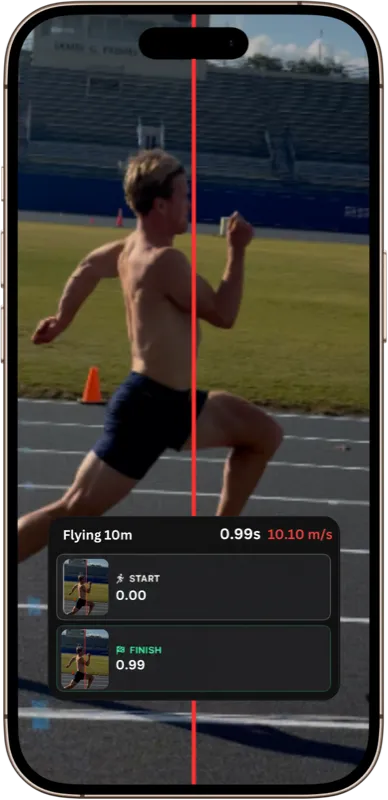
From a crossing to a result
The event defines the time.
Detect the crossing
A camera watches the configured timing line. An automatic crossing event supplies a timestamp and the associated image evidence.
Connect the timing points
Nearby phones share events within a session. Their clocks are synchronized so timestamps can be compared. Message delivery time is separate from the event time.
Calculate the effort
The start and finish events define elapsed time. Split gates add segment times. A measured distance also lets the app calculate average speed.
Choose a consistent test
Five starts. Different questions.
A flying split and a cue-based start measure different efforts. Keep the start method with the result and compare like with like.
| Start method | Timer begins at | Training use |
|---|---|---|
| Flying | Crossing the start camera line | Speed through a measured zone after a run-in |
| Touch release | Lifting the finger from the start screen | A repeatable release-based start |
| Countdown | The audible start cue | A start that includes the athlete’s response |
| Voice command | The GO cue in the spoken sequence | A command-led start, including response |
| In-frame | Crossing the front camera’s configured line | A camera-based start near the start phone |
On the track
Good timing starts with good setup.
- 01
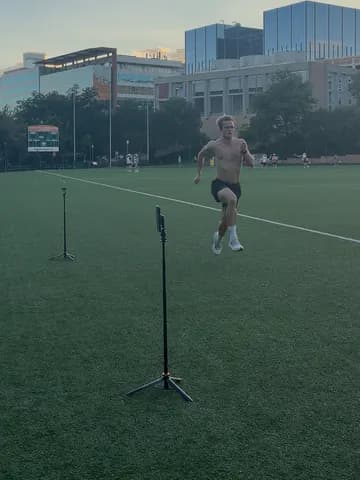
Measure the course
Mark the start, split and finish positions. Keep the distance, surface and start method the same when comparing results.
- 02
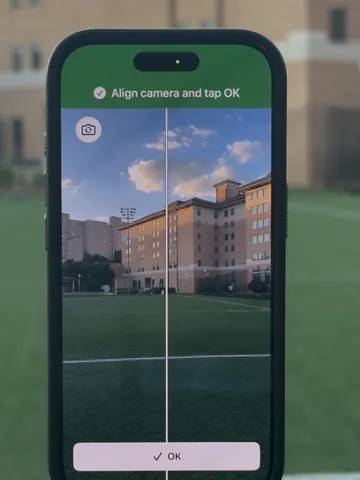
Set the camera line
Use stable mounts. Align each on-screen line with the intended crossing location, keep the runner visible and leave room to run through.
- 03
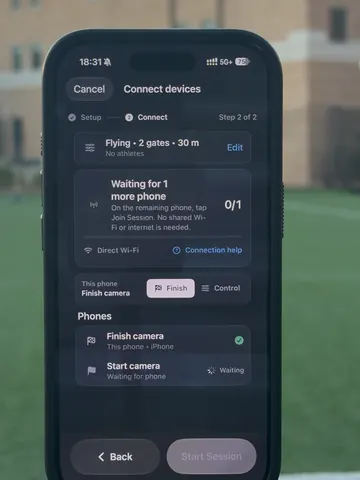
Wait for every gate
Join the same session and check connection, clock and camera readiness before starting. Recheck after a phone moves or reconnects.
- 04
Review, then repeat
Inspect unusual results and crossing photos. Record the athlete, setup and recovery, so the next repetition answers the same question.
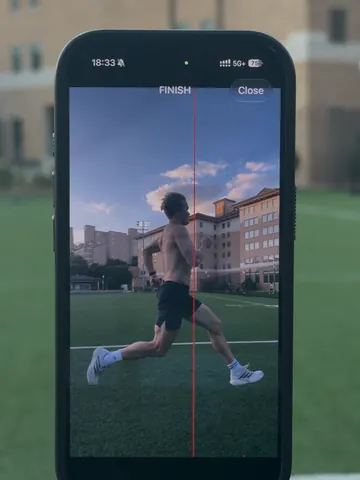
Photos from a real TrackSpeed session.
Read the result in context
Decimal places don’t tell the whole story.
Camera frame rate, lighting, visibility, stable placement, device temperature and clock synchronization can affect a result. Course measurement and the chosen start event matter too.
Reviewable photos help you check what happened. They do not turn every setup into the same measurement. TrackSpeed is for training and unofficial testing; official competition results require the event’s approved timing system.
Your devices, working together
Local timing. Results to keep.
Supported local connections can time without internet. Wi-Fi Aware needs compatible hardware and software; Bluetooth is another connection option. Cloud synchronization needs internet and supports the session data available in the app.
One camera line
Solo Laps measures repeated crossings at the same line. Separate start and finish positions use connected phones.
Apple Watch starts
Watch starts use the paired host/start iPhone to reach the other gates.
Further reading
Explore setup and timing-method comparisons in the training journal.
Bring the method to your next session.
Measure the course. Keep the setup consistent. Review your runs.